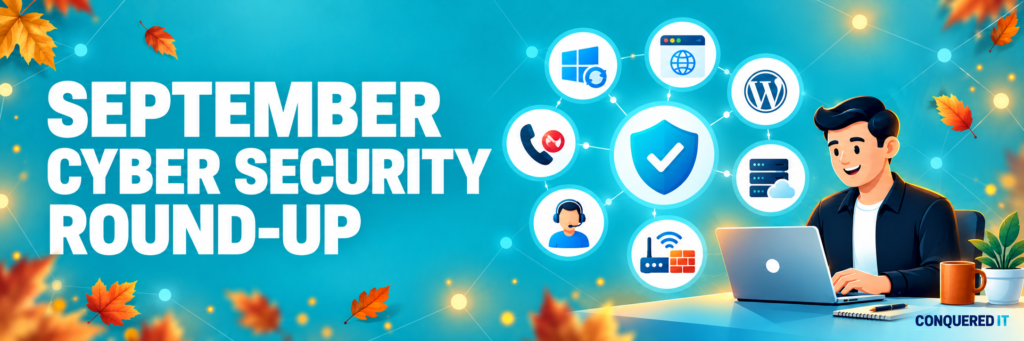

September has brought several important cybersecurity developments affecting business computers, websites, Microsoft services and the technology used to provide remote IT support.
Here is our jargon-free summary of the issues we have been monitoring, why they matter and the simple steps your business should take.
Websites remain a target
Attackers have continued to target vulnerable WordPress websites and plugins. If successful, they may steal information, redirect visitors, add malicious content or use the website to launch further attacks.
Businesses using WordPress should ensure that the website, theme and every installed plugin are fully updated. Unused plugins and administrator accounts should be removed, and reliable website backups should be maintained.
If another company manages your website, ask them to confirm that these checks are being completed.
Important Microsoft and browser updates
Microsoft corrected a number of serious Windows and Office security weaknesses during September, including vulnerabilities already being used in real attacks.
Google also issued urgent Chrome updates after confirming that attackers were exploiting browser vulnerabilities. Updates may download automatically, but protection is not always complete until the browser or computer has been restarted.
Support for Office 2021, Project 2021 and Visio 2021 ends on 13 October 2026. These products will continue to open after this date, but they will no longer receive security updates. Businesses still using them should now have an upgrade or replacement plan.
IT-support and business systems affected
Serious security vulnerabilities have recently affected remote-management and IT-support platforms, including N-central and ScreenConnect. These systems require particular attention because they can provide access to multiple computers and organisations.
Issues have also affected PaperCut print-management servers, Acronis integrations and Cisco identity-management systems.
Not every business uses these products. However, your IT provider should know which systems are present, apply urgent updates where necessary and investigate any indication that access occurred before the update was installed.
Installing an update closes the vulnerability—it does not automatically prove that the system was not previously accessed.
Risks affecting servers, firewalls and remote access
On-premises SharePoint servers and certain firewalls, routers and remote-access products have also been targeted. Recent alerts have included equipment from Check Point, F5, VeloCloud, MikroTik and SonicWall.
This does not mean that every product from these manufacturers is affected. However, anything accessible from the internet should be securely configured, recorded and kept fully updated.
If your business operates its own SharePoint server, website server, VPN, firewall or other remotely accessible system, responsibility for maintaining it should be clearly assigned.
Fake calls from “IT support”
One of September’s most concerning warnings involved criminals calling or texting employees while pretending to be their IT provider.
The caller may claim there is a problem with a password, security check or account. They may then ask the employee to approve a login, enter a code or visit a convincing-looking website.
If successful, the attacker could gain access to company emails, documents and Microsoft 365 accounts.
Never approve an unexpected login request or provide a security code because someone claiming to be from IT asks you to. End the call and contact your IT provider using a trusted telephone number.
Your Actions This Month
We know you are busy, so here are the most important steps to take following this month’s updates:
- Restart computers and browsers when prompted so security updates can finish installing.
- Never approve unexpected login requests or provide security codes to callers.
- Ask your website provider to confirm that WordPress, themes and plugins are fully updated.
- Identify any Office 2021, Project 2021 or Visio 2021 installations and plan their replacement.
- Check that servers, firewalls, remote-access systems and backups have a clearly assigned owner.
- Make sure employees know how to verify whether an IT-support call is genuine.
- Report unusual pop-ups, unfamiliar software, unexpected administrator accounts or suspicious changes immediately.
What is Conquered IT monitoring?
Conquered IT continues to monitor significant security vulnerabilities, Microsoft updates, browser alerts, website threats and risks affecting remote-support, firewall and cloud platforms. Where an issue is relevant to a supported customer, we assess the potential exposure, prioritise the necessary action and provide clear advice without unnecessary technical jargon or alarm.
Cybersecurity is not about expecting employees to understand every new vulnerability. It is about having the right updates, protections, monitoring and support in place so that emerging risks can be identified and addressed quickly.
If you are unsure whether your business systems are properly protected, or would like to review your current IT security arrangements, please contact the Conquered IT team.