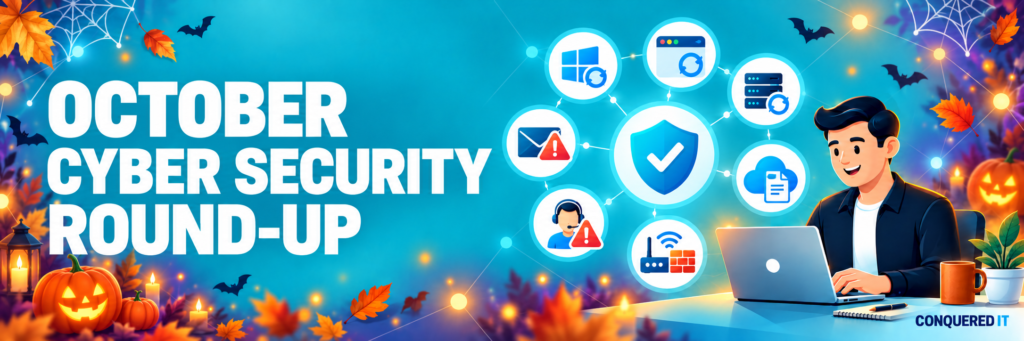

October Cyber Security Round-Up: Your Actions This Month
October brought several significant cyber security developments, including actively exploited website vulnerabilities, important Windows and browser updates, sophisticated Microsoft 365 phishing and the end of security support for older versions of Microsoft Office.
We know that most business owners do not have time to follow every technical announcement, so we have brought the month’s most important updates together in one place.
Your Actions This Month
If you only do five things after reading this update, make them these:
- Confirm that your website is running a secure, supported version of PHP.
- Restart your computers and browsers to complete outstanding security updates.
- Replace Office, Project or Visio 2021 if they are still in use.
- Never enter a Microsoft code supplied by an email, document or website.
- Contact your IT provider immediately if someone unexpectedly asks you to install remote-support software or run a command.
Critical Website Vulnerabilities Are Being Actively Exploited
Two critical vulnerabilities were discovered in PHP, the technology that powers a large proportion of business websites—including many websites built using WordPress.
These vulnerabilities could allow a criminal to run code on a vulnerable website server without first needing a username or password. It has since been confirmed that attackers are actively exploiting them.
The secure PHP versions are:
- PHP 8.5.12
- PHP 8.4.27
- PHP 8.3.36
- PHP 8.2.35
Websites using PHP 8.1 or an earlier version need to be moved to a newer, supported version.
It is important to understand that updating WordPress, themes and plugins does not necessarily update PHP. PHP is normally managed separately through the website’s hosting environment.
Businesses should ask their website developer or hosting provider to confirm the exact PHP version in use. Because these vulnerabilities are already being exploited, providers should also consider checking website and hosting logs for signs of suspicious activity—not simply apply the update and assume the website was never accessed.
Windows Security Updates Need More Than an Automatic Setting
Microsoft addressed an actively exploited Windows vulnerability during October. The weakness could allow a malicious file or email attachment to bypass some of the normal warnings and protections users expect to see.
A person would generally still need to open or interact with the file, but criminals can disguise malicious content as an ordinary document, invoice or download.
For managed customers, Conquered IT deploys and monitors relevant Windows updates. However, an update may not finish installing until the computer has been restarted.
Automatic updates are essential, but they are not the same as confirmed protection. Businesses need visibility of whether updates have installed successfully and whether devices are waiting for a restart.
Chrome and Edge Received Important Security Updates
Google released Chrome 156 with an unusually large collection of security fixes: 353 in total, including six classified as critical.
Browsers are exposed to untrusted content throughout the working day—from email links and online documents to adverts and compromised websites. They should therefore be treated as an important part of a business’s security, rather than simply as a way to access the internet.
Chrome and Microsoft Edge normally update automatically, but the new version may not become active until the browser has been completely closed and reopened.
If your browser displays a relaunch or update notification, do not continue postponing it. Closing and reopening the browser—or restarting the computer—is often all that is required.
Office 2021 Has Reached the End of Support
Support for Office LTSC 2021, Project 2021 and Visio 2021 ended on 13 October 2026.
The applications will not immediately stop working, but Microsoft will no longer provide security updates, bug fixes or technical support. Any new vulnerabilities discovered after the support date may therefore remain uncorrected.
Businesses should identify any remaining installations and plan a move to a supported Microsoft 365 subscription or another supported version of Office, Project or Visio.
Unsupported software can also create difficulties with cyber insurance, compliance requirements and customer security questionnaires—even if it still appears to work normally.
The Microsoft Code Scam: A Real Microsoft Page Can Still Be Part of an Attack
During October, we warned customers about a particularly convincing Microsoft 365 phishing attack.
The victim receives an email—often from someone they know whose account has already been compromised—sharing a document. The link opens a page asking them to verify their identity by copying a code and entering it on a Microsoft website.
The Microsoft page itself is genuine. That is what makes the scam so convincing.
Entering the code can authorise the criminal to access the victim’s email and files. The attacker can then use the compromised account to send the same scam to colleagues, customers and suppliers.
The rule to remember is simple:
Never enter a code on a Microsoft sign-in page when that code was supplied by an email, document, message or website.
Microsoft device codes are intended for situations where you are deliberately connecting a device in front of you, such as a television, meeting-room display or printer.
If you have entered a code following instructions from an email or website, contact your IT provider immediately. Changing your password alone may not remove the attacker’s access; active sessions and permissions also need to be revoked.
Be Cautious of Unexpected Remote-Support Requests
Criminals continue to impersonate IT support teams and persuade people to install genuine remote-access software.
The software itself may be legitimate, but once installed it can give the caller control of the computer. They may then access files, capture passwords, change security settings or move further into the organisation.
You should never install remote-support software, approve an unexpected sign-in or run a command because an unsolicited caller or pop-up instructed you to do so.
If someone claims to be calling from Conquered IT and you are unsure, end the call and contact us using the telephone number you already know. A genuine member of our team will understand and support you in verifying the request.
A Targeted Warning for Collabora Online Users
An actively exploited vulnerability was also confirmed in Collabora Online, a browser-based document-editing platform often used alongside Nextcloud and other privately hosted cloud systems.
The vulnerability could allow an attacker to run commands on an affected server.
Most small businesses using Microsoft 365 or Google Workspace will not use Collabora and do not need to take action. However, organisations operating Collabora Online, CODE Server, Nextcloud or another self-hosted document platform should ask their IT provider to confirm whether Collabora is installed, whether it has been updated and whether the server requires investigation for earlier unauthorised access.
What October’s Updates Tell Us
The biggest lesson from this month is that software being configured to update automatically does not guarantee that a business is protected.
Updates may require a restart. A website application may be current while the underlying server technology remains vulnerable. Genuine software and real Microsoft pages can be used during an attack. Applying a patch also does not prove that a system was not compromised beforehand.
Effective cyber security requires someone to:
- Know which systems and software a business uses.
- Monitor important security announcements.
- Confirm updates have installed successfully.
- Investigate possible earlier access when necessary.
- Give employees clear, practical advice they can remember.
That ongoing work is where managed IT and cyber security support provide real value.
Need Help Checking Your Systems?
If you are unsure whether your website, computers, browsers or Microsoft software are fully updated and supported, contact Conquered IT.
We can help you understand what is in use, identify any gaps and make sure the right actions are taken—without the technical jargon.